The iCam365 camera is a multifunctional smart surveillance device designed to provide comprehensive security for your home or office. With its easy installation, user-friendly operation, and powerful features, it has become a trusted choice for many users.
Key Features
HD Quality, Every Detail Revealed: The iCam365 camera typically supports 1080P or even higher resolution video recording, delivering crisp, detailed images. It captures every crucial detail, day or night.
Night Vision, Unfazed by Darkness: Built-in infrared night vision lights enable the camera to operate effectively in low-light or completely dark environments. Even in the dead of night, you can clearly see everything within the monitored area.
Smart Motion Detection and Alerts: When the camera detects unusual movement in the monitored area, it immediately sends an alert notification to your phone. You can customize detection zones and sensitivity levels to minimize unnecessary interruptions.
Two-Way Audio Communication: Using the iCam365 app, you can engage in two-way voice conversations with individuals at the camera’s location anytime, anywhere. This proves invaluable for interacting with family members, remotely monitoring pets, or deterring potential intruders.
Cloud and Local Storage: iCam365 cameras typically offer dual storage options. You can choose to store video recordings on a microSD card or subscribe to cloud services to upload videos to the cloud, preventing data loss due to device damage or theft.
Remote Control and Sharing: Using the mobile app, you can remotely view live monitoring footage and playback historical videos anytime, anywhere. You can also share camera access with family members or trusted friends, allowing them to monitor together.
iCam365 App and Desktop Software
To enable convenient management and monitoring anytime, anywhere, iCam365 provides a powerful mobile app and desktop client software.
iCam365 Mobile App
Live Monitoring: View real-time camera footage on your phone anytime, anywhere.
Remote Control: If your camera supports pan/tilt functionality (e.g., rotating), remotely adjust the monitoring angle via the app.
Instant Notifications: Receive motion detection alerts from your camera to stay informed about unusual activity immediately.
Video Playback: Easily review historical recordings stored in the cloud or on a microSD card.
Two-Way Intercom: Activate intercom functionality with one tap to engage in real-time voice communication with family members or pets.
Multi-Device Management: Add and manage multiple iCam365 cameras within a single app for centralized monitoring.
Multi-User Sharing: Invite family members to jointly manage and view surveillance footage.
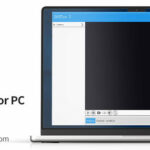
iCam365 PC Client
Large-Screen Monitoring: Simultaneously view multiple camera feeds on your computer screen for a wider field of view and clearer details—ideal for users needing to monitor multiple areas concurrently.
Professional Management: The PC client typically offers more comprehensive settings and management features for advanced configuration.
Batch Operations: For users with numerous cameras, the PC client provides more efficient management methods.
Long-Term Recording: Set extended recording directly on your computer and save videos to your hard drive.
In summary, the iCam365 camera is a feature-rich, cost-effective smart surveillance device. Combined with its user-friendly mobile app and desktop client, it delivers reliable solutions whether you need to protect your home, monitor children or pets, or oversee your office.